Description
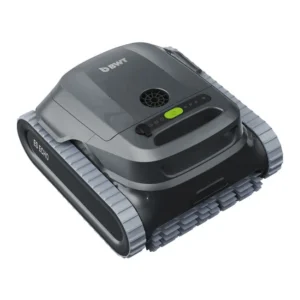
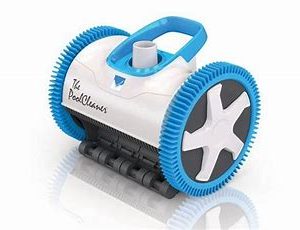
BWT ES700 Robotic Pool Cleaner.
Lightweight and easy to handle:
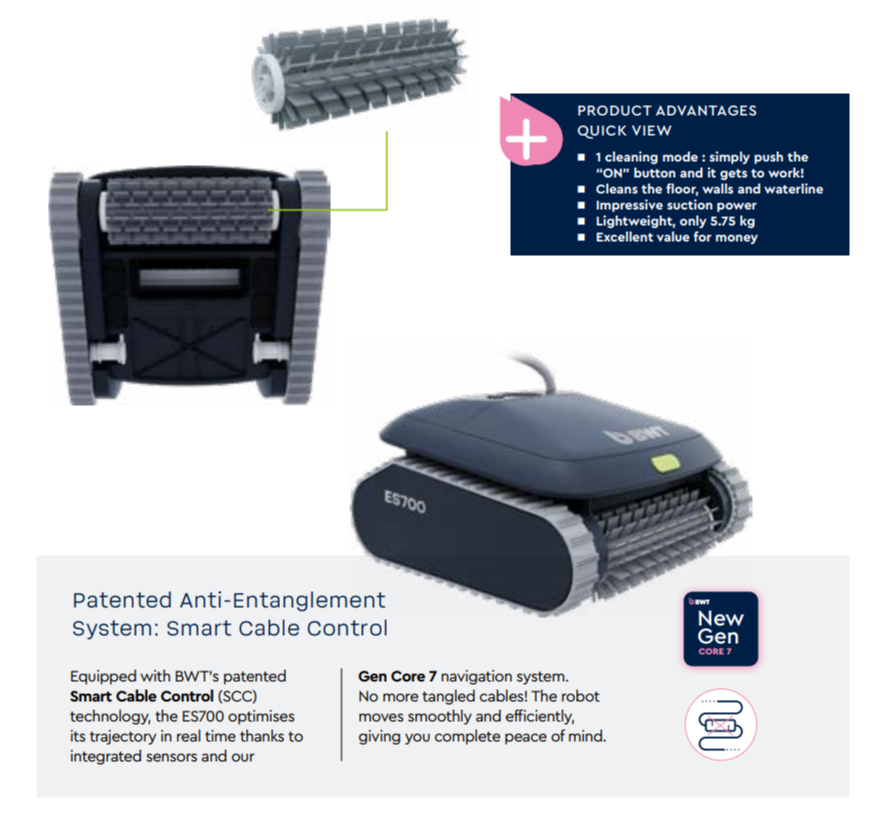
Weighing in at 5.75 kg, the BWT ES700 Robotic Pool Cleaner can be transported as well as set up effortlessly. Its rapid water evacuation system makes removing it from your pool a breeze.
Adapted to its environment:
Its 2-hour cycle time allows you to clean your entire pool in one go, including the floor, walls as well as waterline. For use in pools up to 10 metres, all shapes as well as finishes. Simply push the “ON” button and watch your robot get to work!
Effective brush and powerful suction:
The PVC brush combined with its impressive 15 m3/h suction power, ensure in-depth cleaning, removing algae, debris, as well as other impurities.
Smart navigation:
The ES700 adapts its driving pattern to your pool shape thanks to its integrated gyroscope. It can also rotate on itself to avoid scattering debris!
Download the brochure HERE.
Return to the Products page HERE.
| Specifications | |
|---|---|
| Cleaning modes | 2 hour cycle: cleans floor, walls as well as waterline |
| Swimming pool length | Up to 10 metres, all shapes and finishes |
| Cable length | 14 metre long floating GEN CORE 7 SCC cable |
| Dimensions (L x W x H in cm) | 51 x 45 x 33 |
| Robot Weight | 5.75 kg |
| Gyroscope | Included |
| Beach entry detection system | Included |
| Warranty | 3 years for all components |
BWT ES700 Robotic Pool Cleaner Operation:
To ensure safe as well as efficient operation, position the power supply unit at least 3.6 meters (11.8 feet) away from the pool and at least 12 cm above the ground. Important: The power supply is not water-resistant. Keep it away from water as well as direct sunlight to prevent damage. To release the floating cable, press the plastic snap on the zip ties. Use only the necessary length of cable in the water, keeping excess cable neatly coiled near the power supply.
Preparing the Robotic Cleaner for Use
Before placing the cleaner in the pool, ensure the following: No one is in the pool. The filters are clean. The pool water meets the required conditions (see “Operating Conditions”). Placing the Robotic Cleaner in the Pool 1. Unroll the floating cable, ensuring there are no tangles or twists. 2. Extend the cable length to match the pool’s diagonal length plus an additional 2 meters. 3. Connect the floating cable to the power supply socket. 4. Keep excess cable out of the pool as well as neatly coiled near the power supply. 5. Gently place the robotic cleaner in the pool and let it sink to the bottom. Caution: Do not start the cleaner until it has fully settled on the pool floor. Operating the cleaner outside of water may cause immediate as well as irreversible damage, voiding the warranty.
Starting the Robotic Cleaner
1. Plug the power supply into a wall socket. 2. The On/Off button will light up, and the robotic cleaner will begin its cleaning cycle. 3. If the power supply is already plugged in, the On/Off button will flash, indicating standby mode. 4. Press the On/Off button to toggle between On and Standby mode. Note: If your model features a full filter indicator light, make sure to remove as well as clean the filter before placing the cleaner back in the pool. By following these steps, you ensure optimal performance as well as longevity of your robotic pool cleaner.